01
Open to today
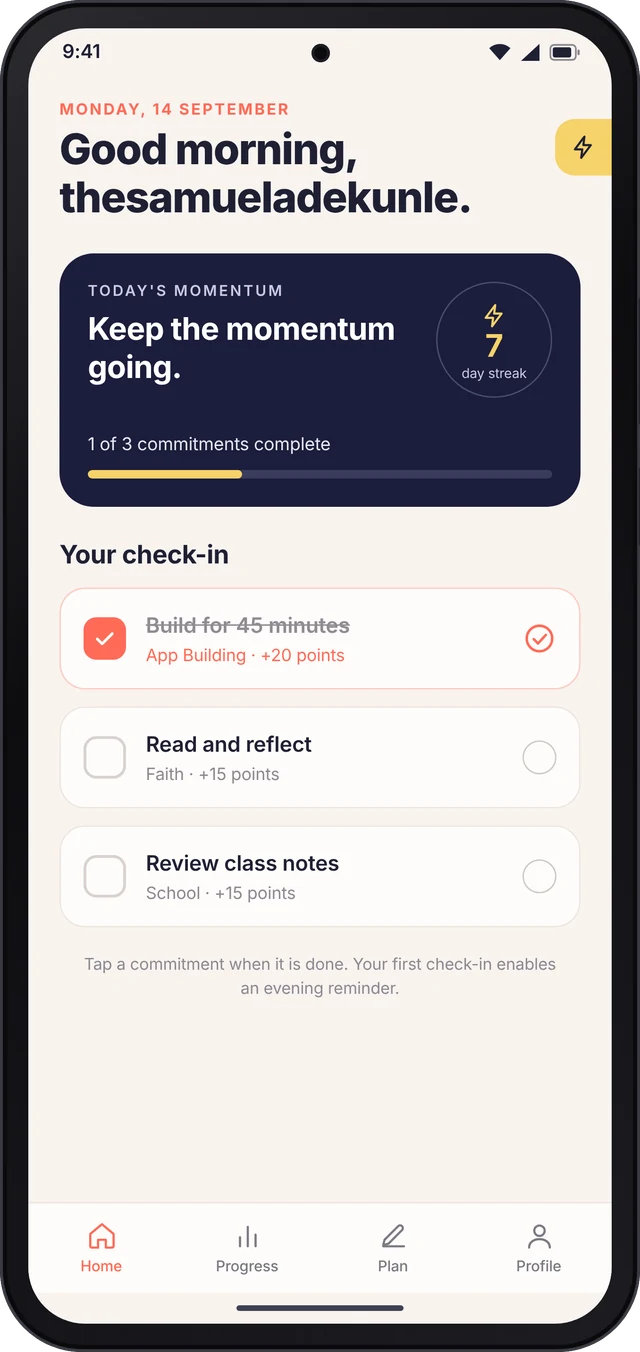
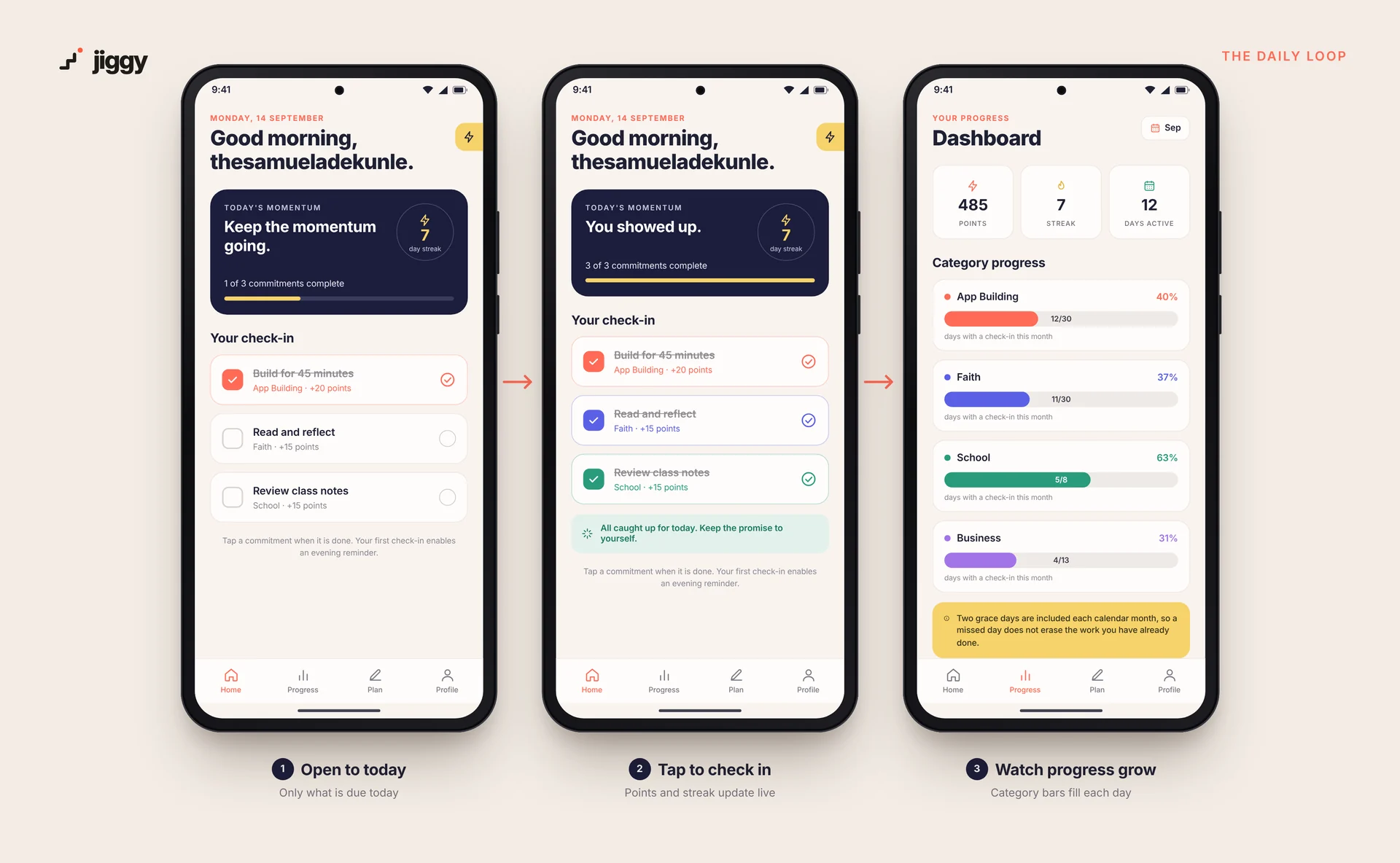
Home answers one question: what do I need to do today? Only the commitments due today appear, worked out from each task's repeat rule.
A gamified growth tracker for Android. Jiggy takes the points, streaks and badges that keep people coming back to Duolingo and points them at the commitments that actually run your life: building, work, faith, school and personal growth.
I was running 13 commitments at the same time across app building, operations work, platform activity, content, personal growth, faith and school. Some happened every day. Others only on Wednesdays, or only on Sundays.
They lived in a Word document and a spreadsheet. Both worked as records, but neither gave me a reason to come back:
…is a file you forget. Nothing pulled me back each day, and nothing showed what was actually due today.
No points, no streak, no visible progress. Miss a day and the whole month feels lost, so motivation drops.
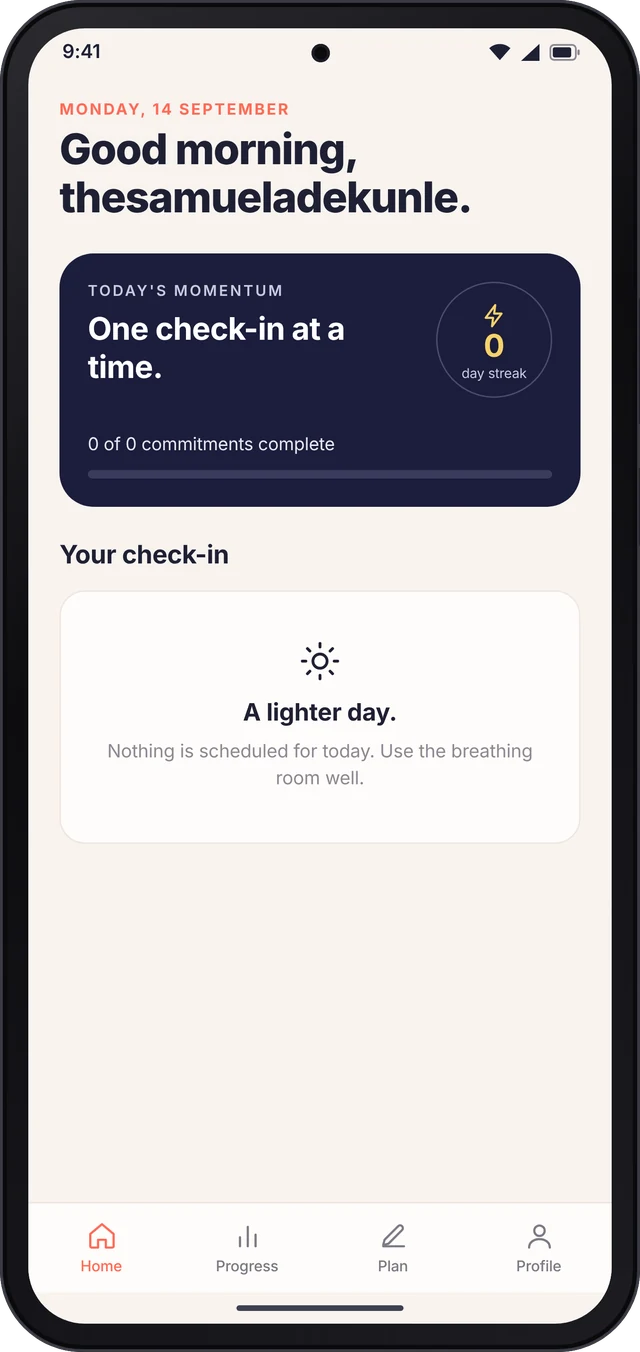
Home answers one question: what do I need to do today? Only the commitments due today appear, worked out from each task's repeat rule.
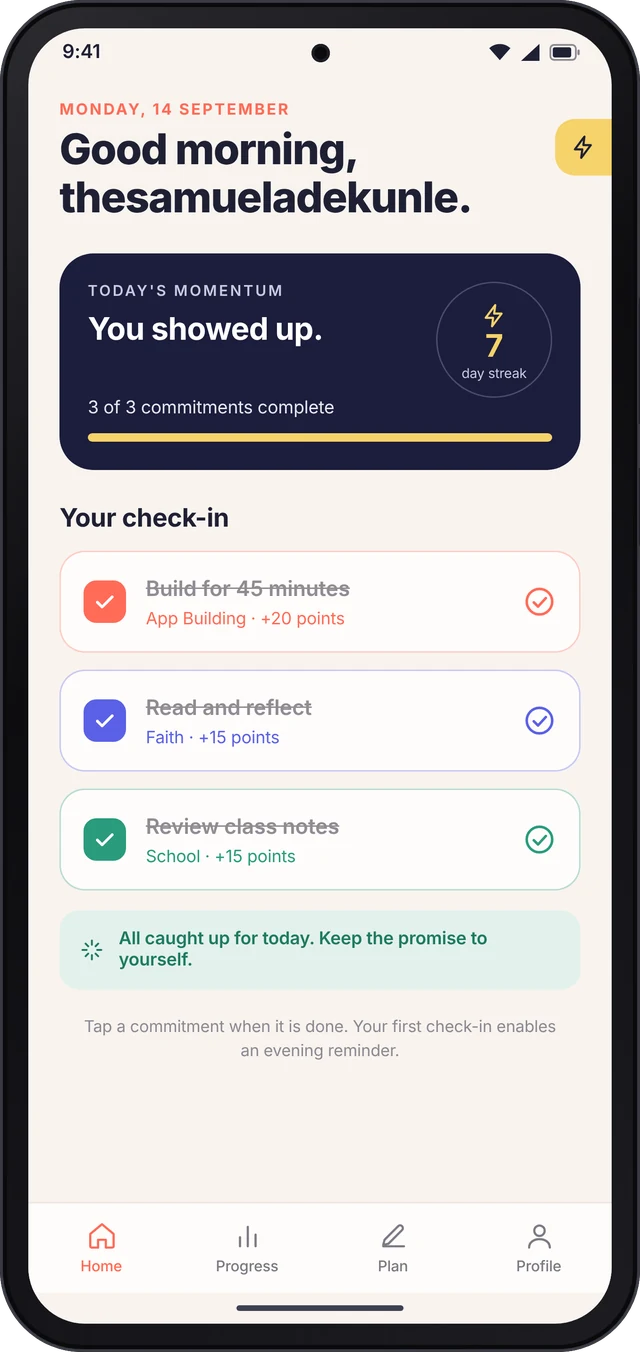
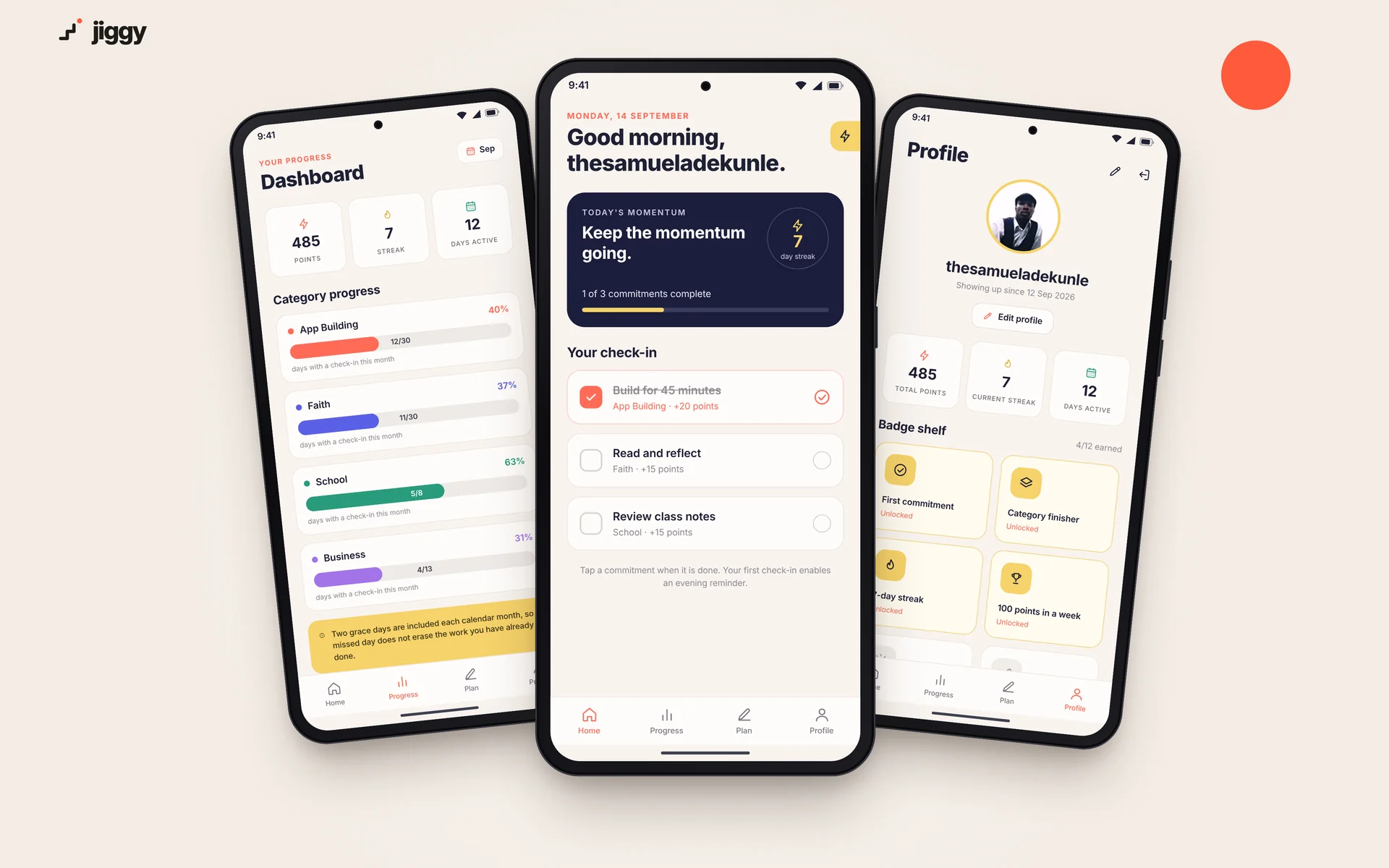
One tap completes a commitment. Points are added, the streak ticks up, and when the list is clear Jiggy says so: "You showed up."
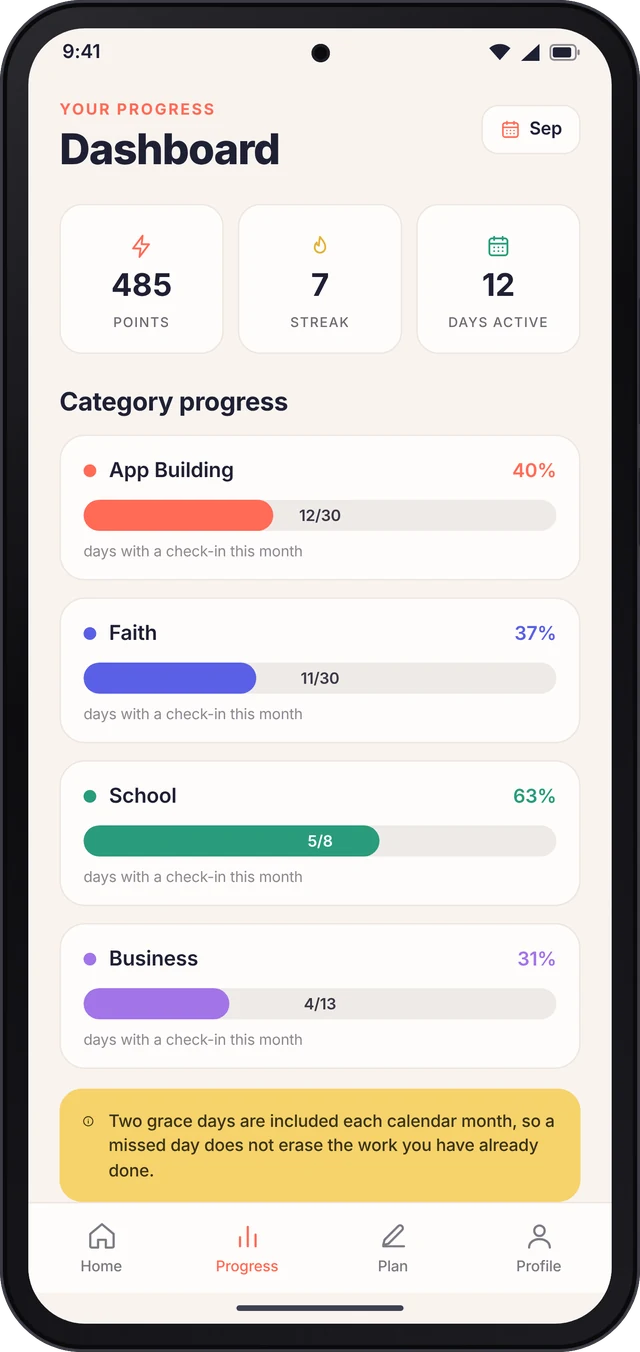
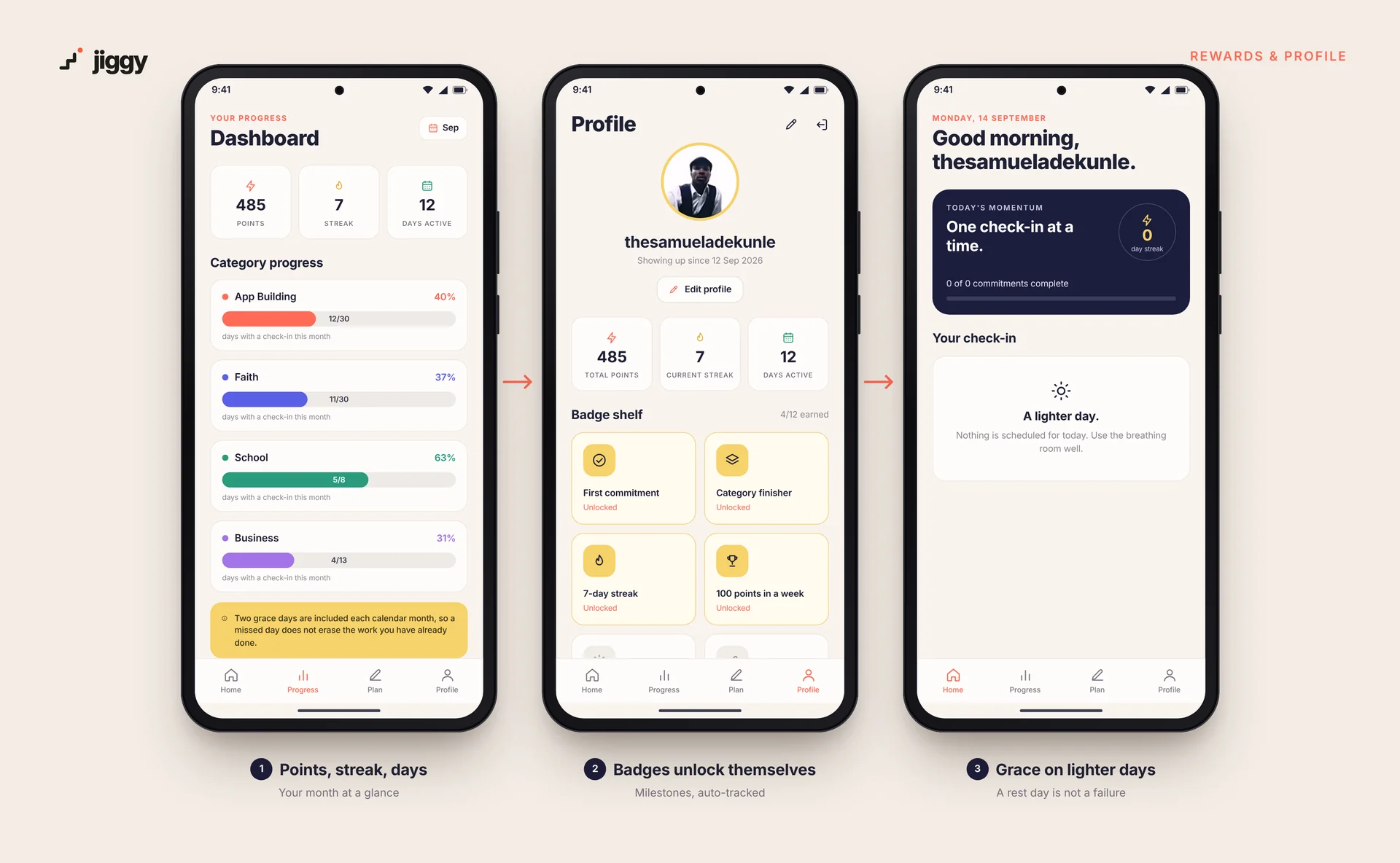
The dashboard shows points, streak and days active, plus a progress bar for every category so you can see each area of life on its own.
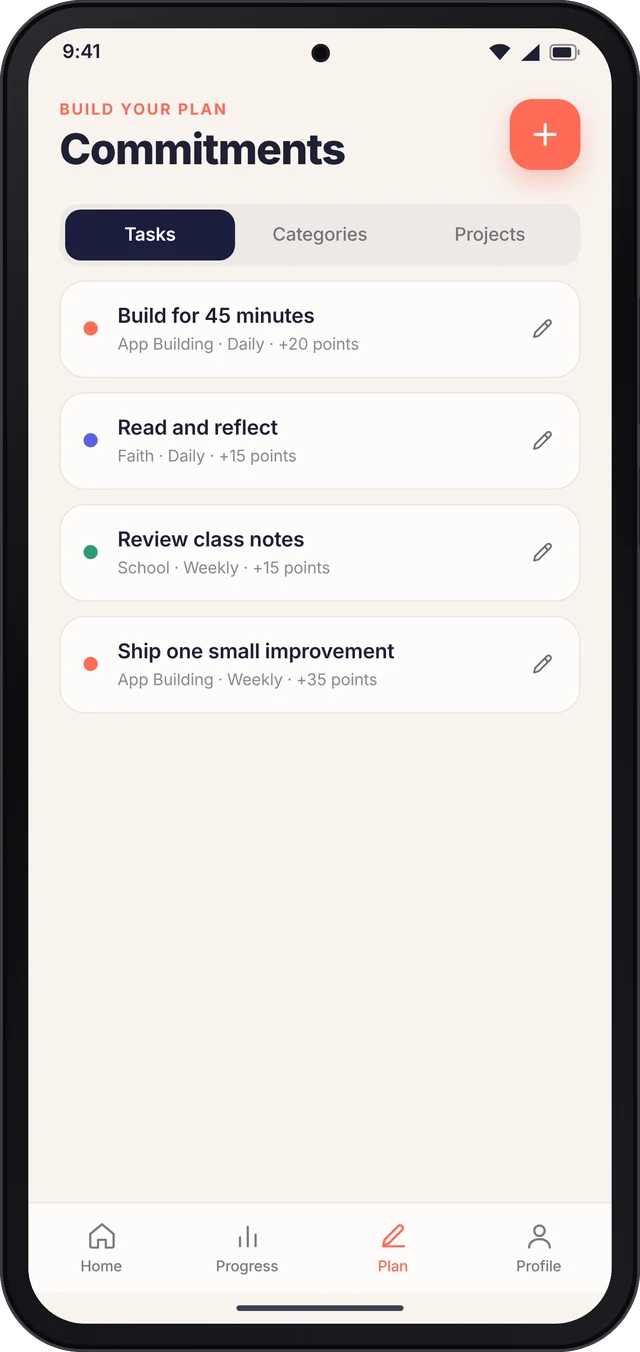
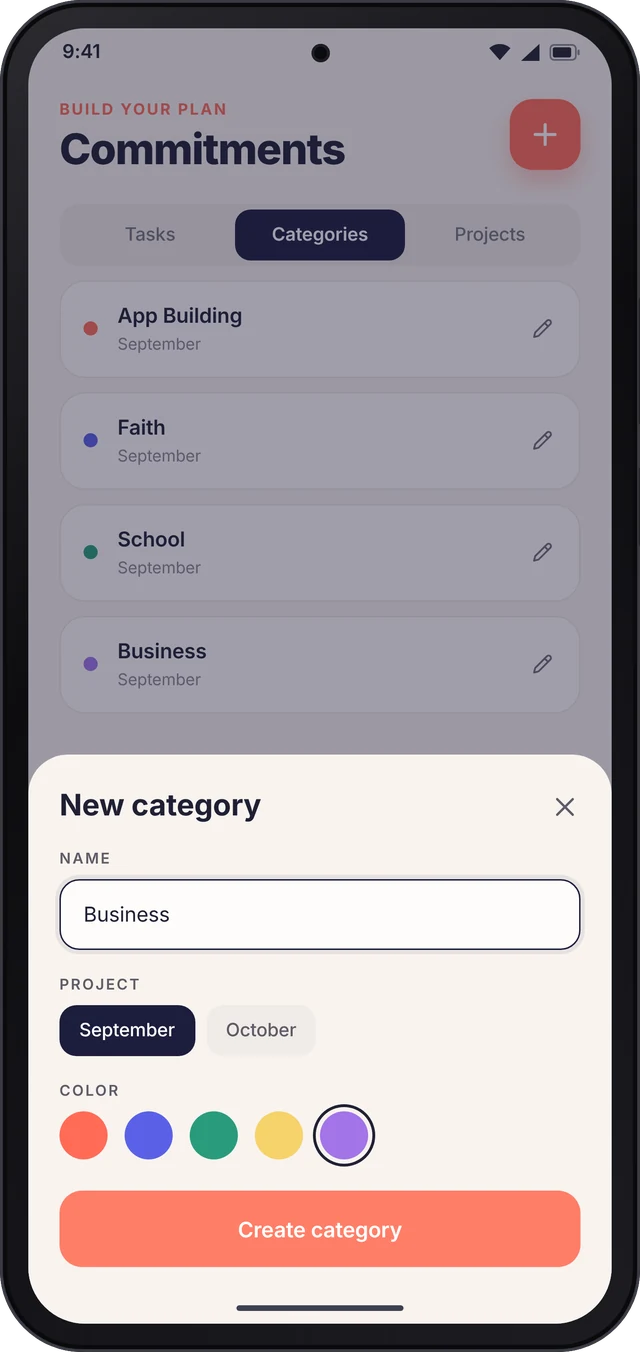
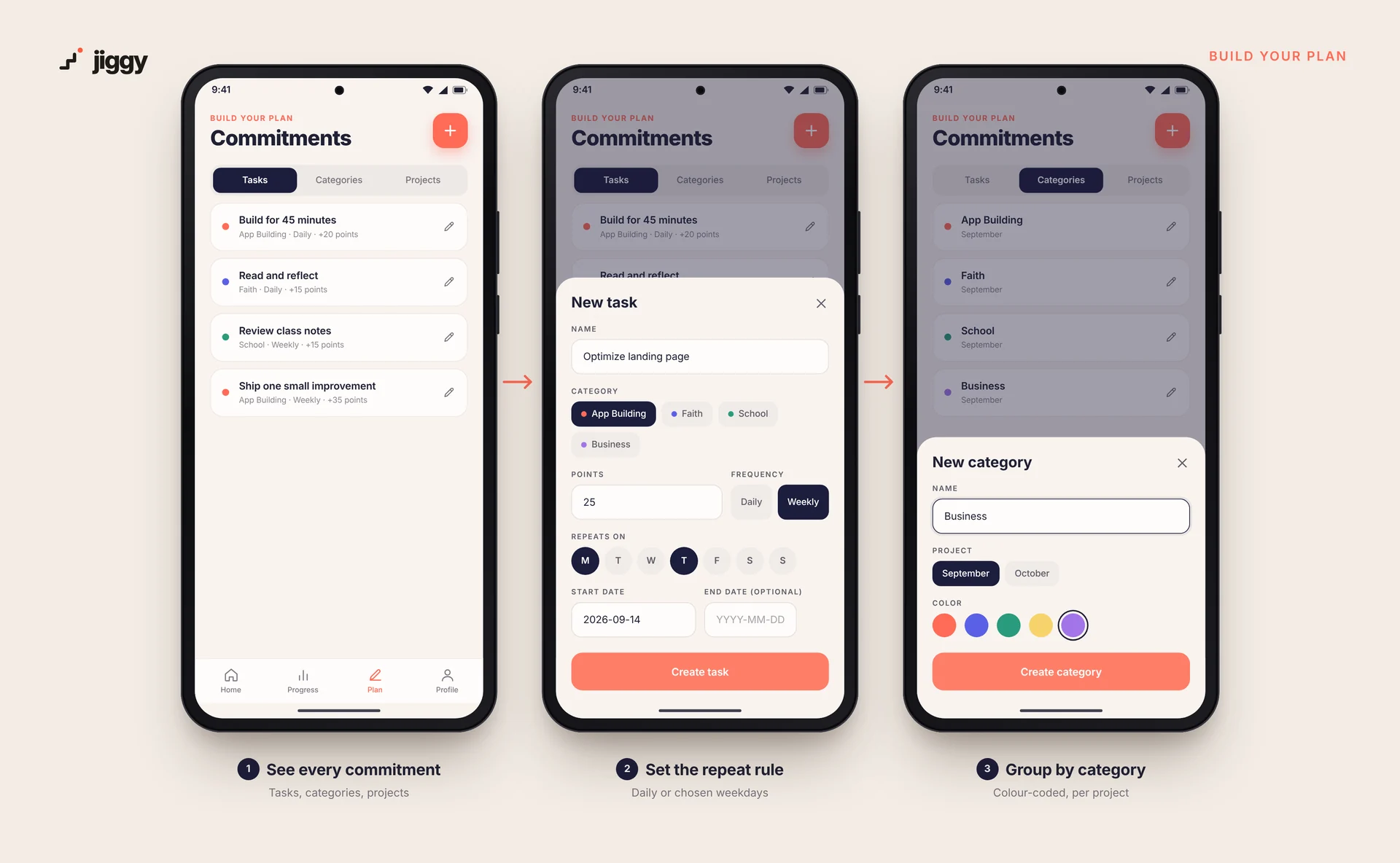
Instead of a flat to-do list, every commitment sits in three levels. This is what lets the dashboard say "40% through App Building this month" separately from the overall score.
A month or season with a start and end date. Everything below belongs to a project.
Colour-coded areas of life, each with its own progress bar.
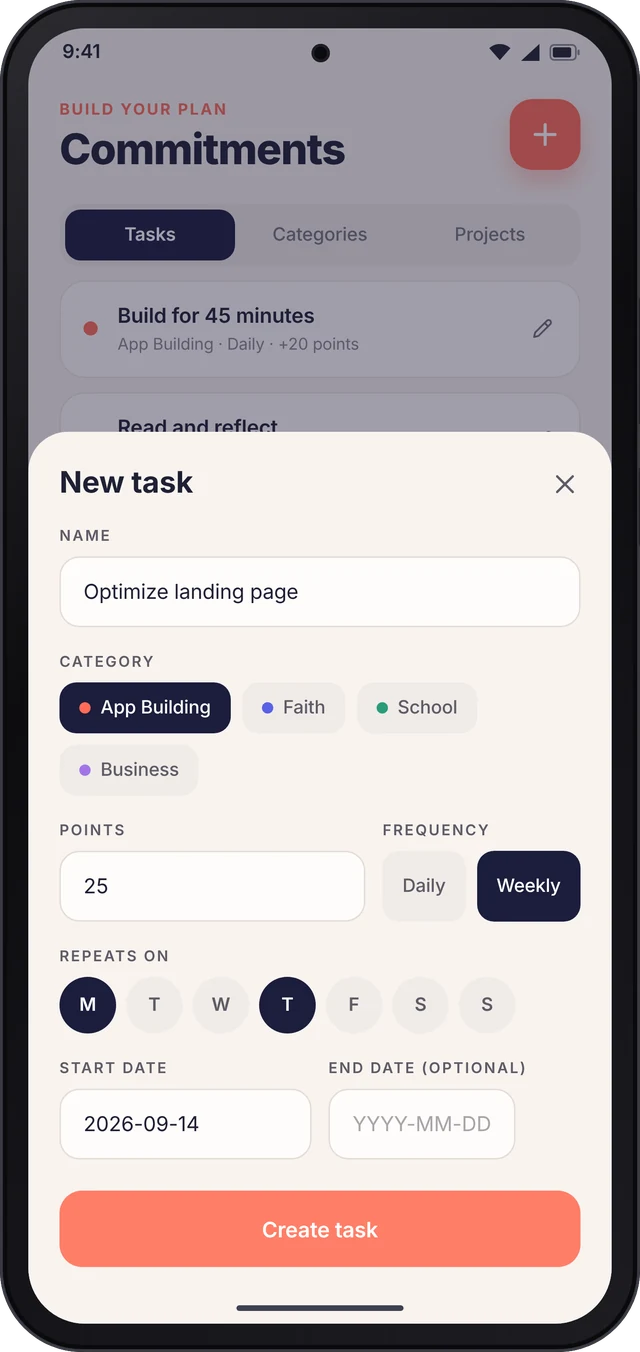
A name, a points value, a repeat rule and a completion log for every day it applies.
Home opens straight on today's commitments as tappable checkboxes. No history, no scrolling. On a free day it simply says "A lighter day."
Daily, or weekly on any set of days (Mondays and Thursdays, say), with a start date and an optional end date.
Each task carries its own points value, so a 45-minute build session counts for more than a quick review.
Consecutive days with at least one check-in, shown front and centre in the momentum card on Home.
"App Building: 12 of 30 days" as a bar, not just a number, so each area of life has its own score.
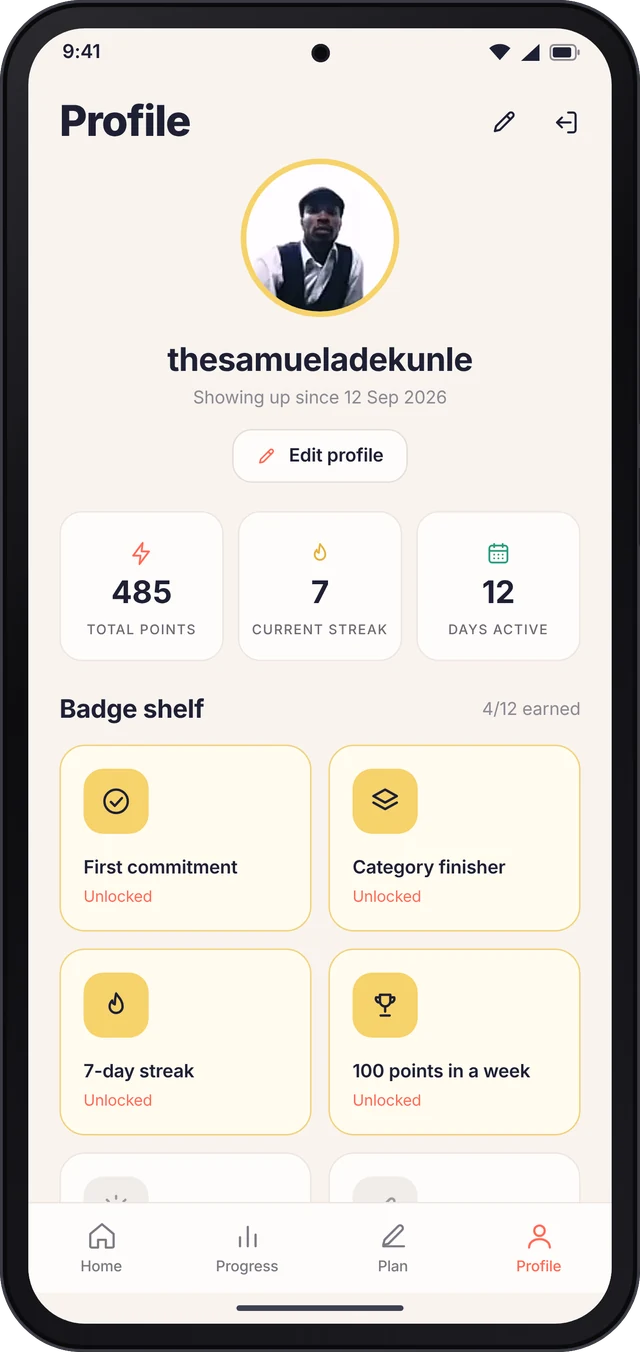
Milestones such as First commitment, Category finisher, 7-day streak and 100 points in a week unlock automatically.
Adapted from Duolingo's streak freeze. A missed day does not erase the work you have already done.
The first check-in switches on a gentle evening nudge, so the reminder only arrives once the habit has started.
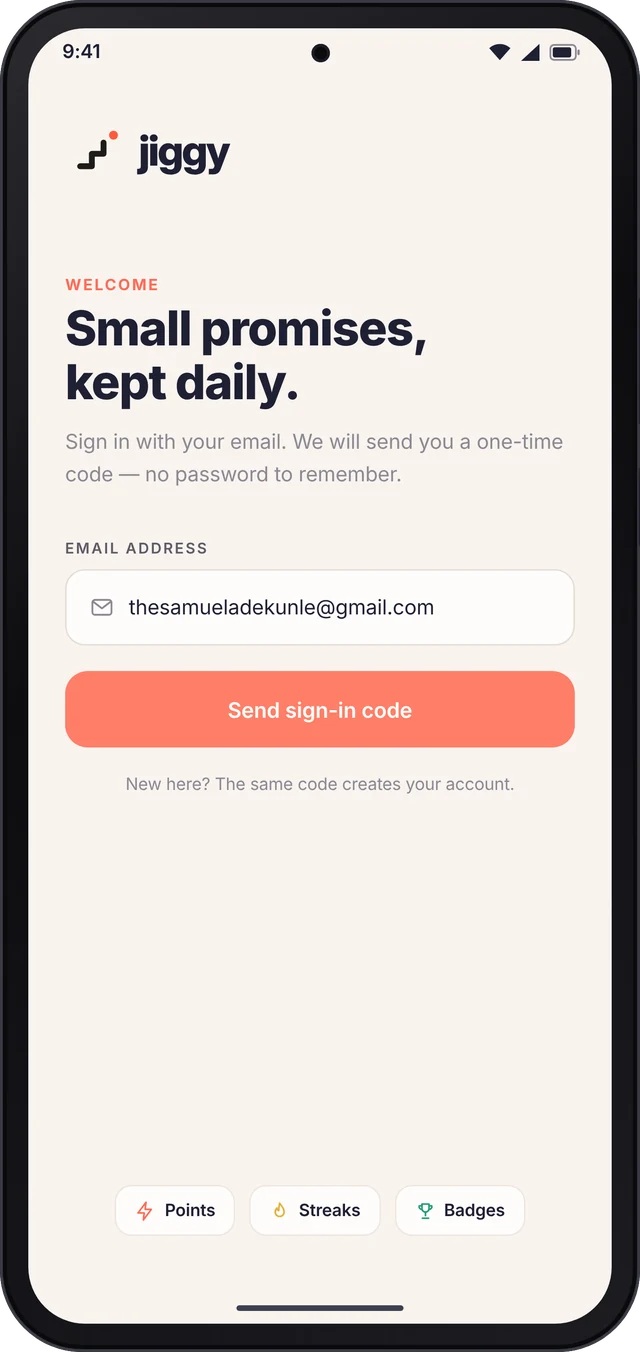
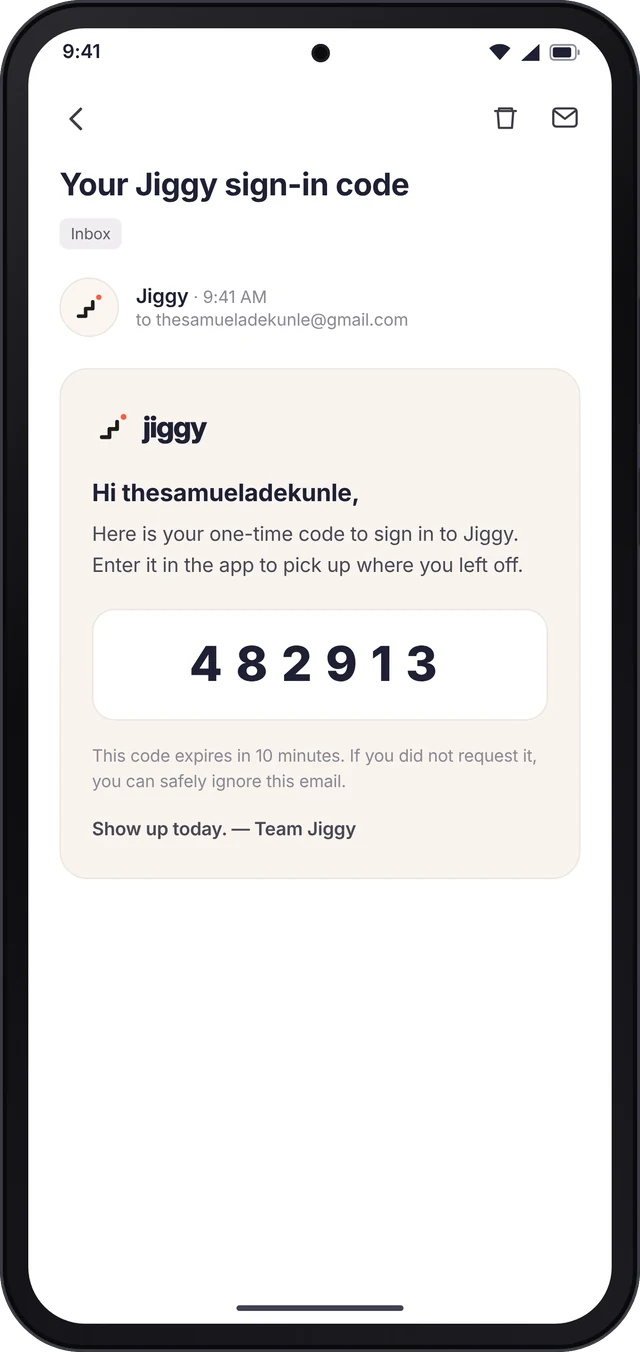
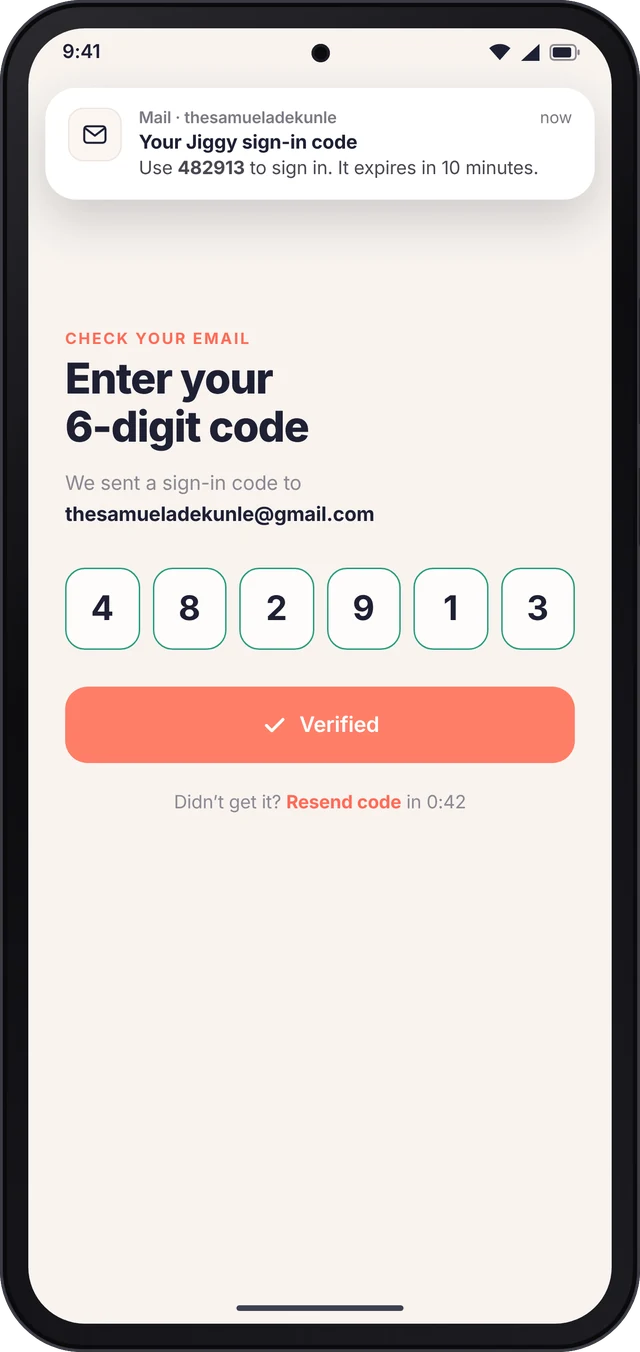
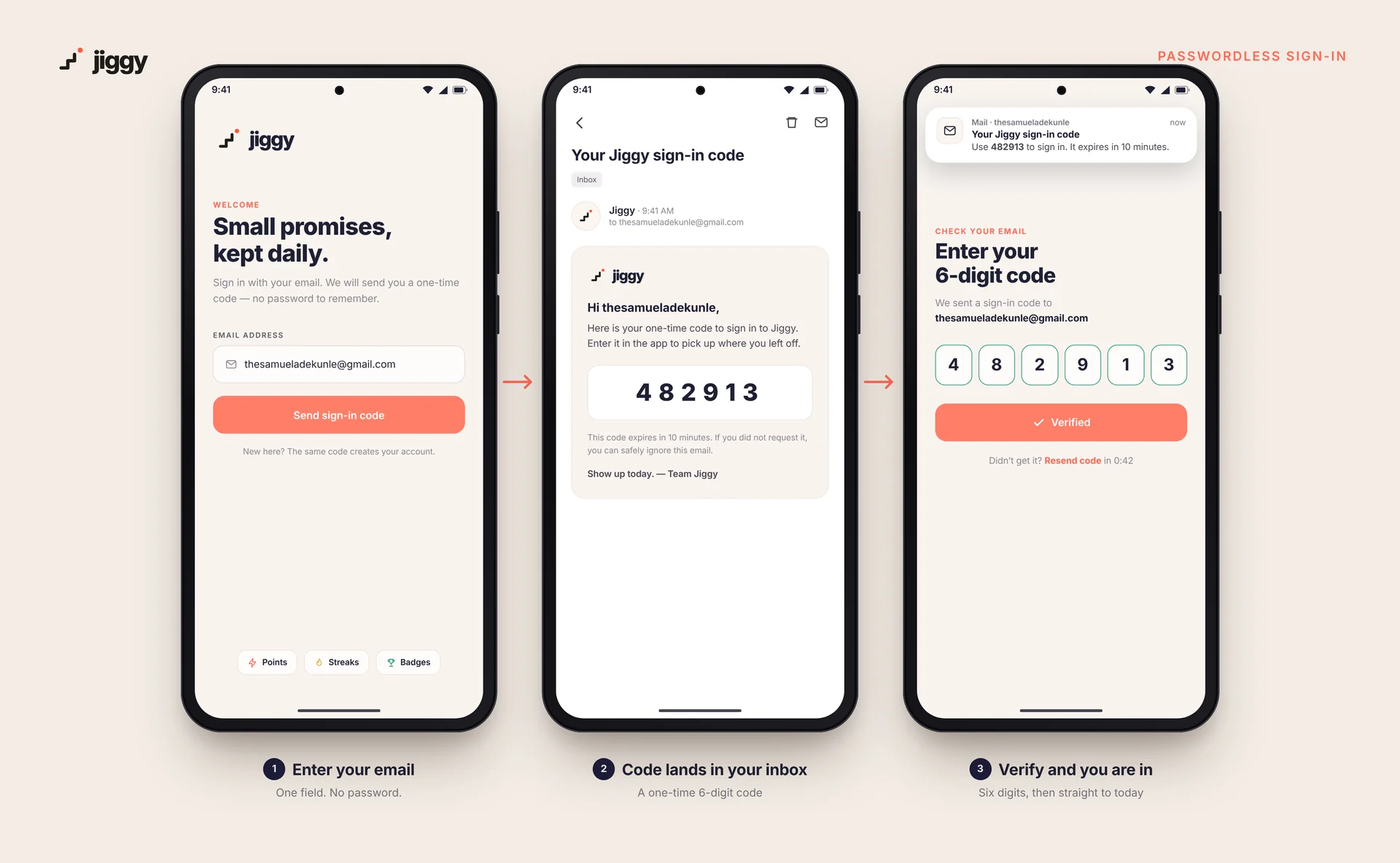
Sign in with an email code, set a display picture and username, and see total points, streak and days active in one place.
Jiggy tracks real life, not a single app habit, so the interface had to motivate without shaming. Every decision followed four principles.
Mapped 13 real commitments and their rhythms (daily, weekly on Wednesday, weekly on Sunday) and named the gap: a record is not a reason to return.
Wrote the concept: the Project → Category → Task model, Google Calendar-style repeat rules, weighted points, streaks, category bars, auto-unlocking badges and grace days.
Built the daily check-in, the Plan tab for creating projects, categories and tasks, and the Progress dashboard with category bars.
Added optional profile photos and username editing, expanded the badge shelf, and confirmed cascade deletes so removing a project or category never leaves orphaned tasks.
Ran Jiggy on my own phone, checking in, editing tasks and watching streaks and badges respond in real use.
Designed the staircase mark, produced Android mockups and a 15-second walkthrough, and wrote this case study.
A rising staircase with a coral dot just ahead of the last step. Each step is a day you showed up; the dot is the next goal, always one step away.
Jiggy shows how I work: I start from a real problem, borrow what is already proven, adapt it to the people who will use it, and build until it works in daily life. It is the same instinct I bring to executive systems and event operations: turn scattered commitments into a structure people actually follow.
Whether it's a spreadsheet you've outgrown, a routine you want to systemise or a product idea on paper, I can take it from concept to a designed, working app: problem framing, product spec, UX/UI and a buildable prototype.