01
Press start
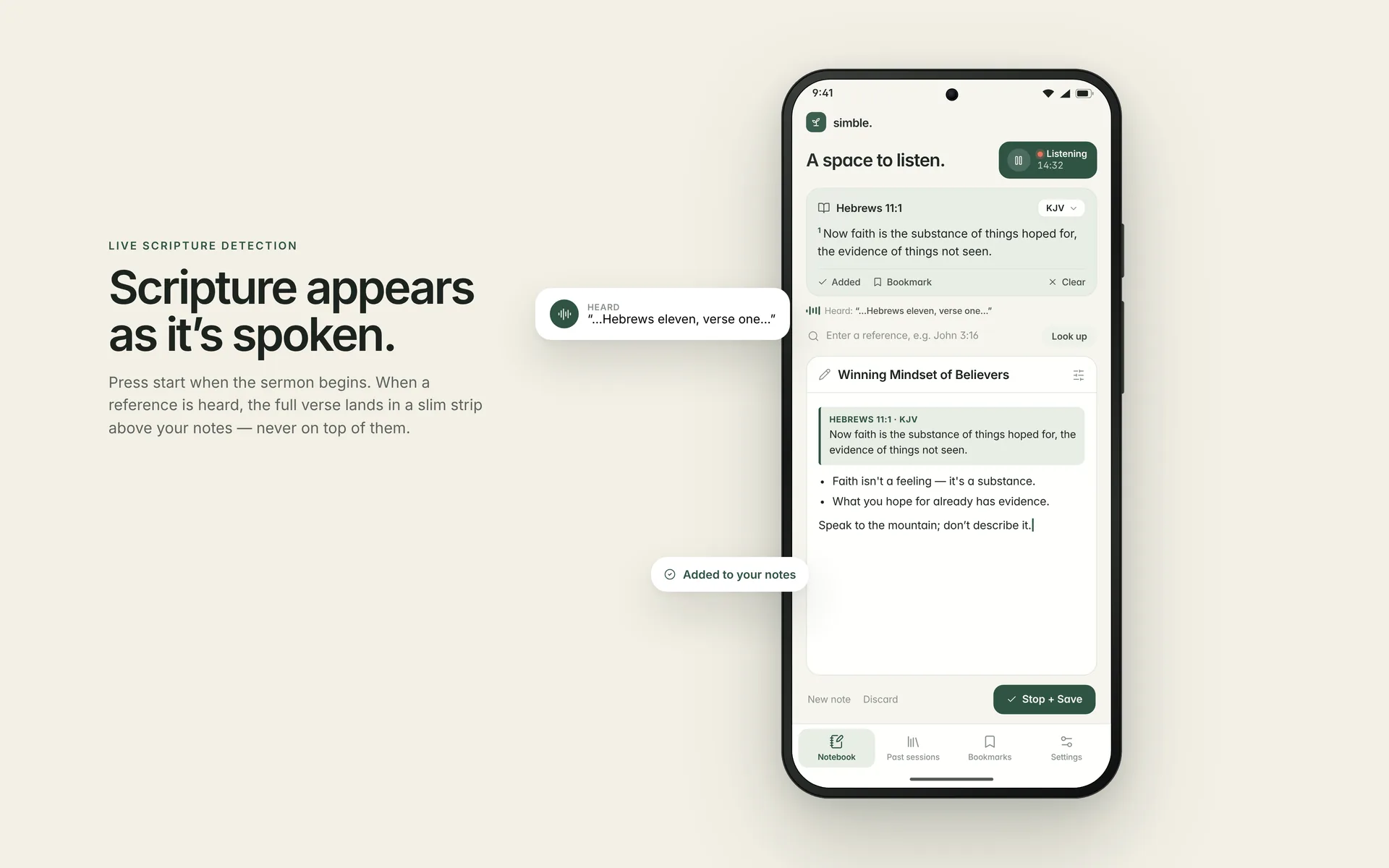
Tap Start session when the sermon begins. A live timer shows that Simble is listening, and it listens only while a session is active.
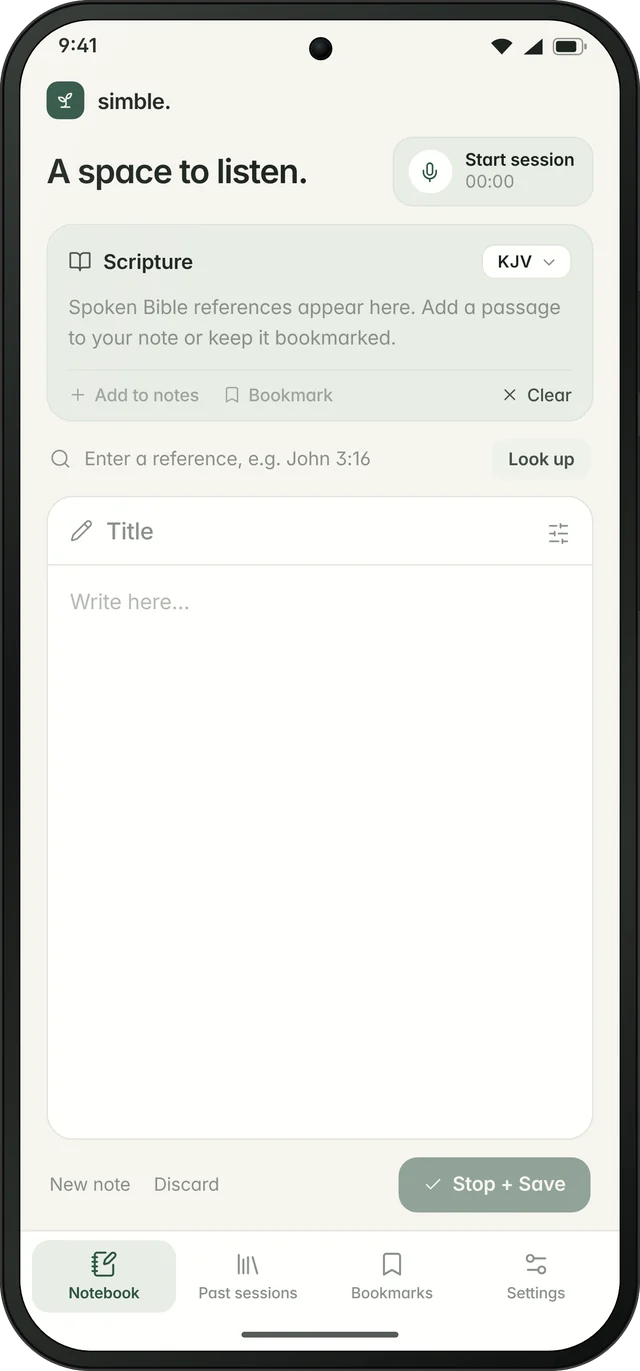
A calm sermon companion for Android. You tap start when the message begins. When the preacher quotes a scripture, Simble finds the verse and shows it in a slim strip above your notes, so you never have to stop listening to go looking for it.
The idea came to me in church on a particular Sunday, while I was listening to my pastor’s sermon. He kept citing scriptures, one after another. By the time I had found one verse, typed it out and gone back to my notes, the sermon had moved on and I had missed the point he was making.
People taking notes in a live service are stuck with a trade-off:
…and lose the flow of the message. Every reference means stopping, switching apps, typing, reading and coming back.
and miss the exact words being quoted. Notes apps don't know scripture, and Bible apps aren't built for note-taking.
Tap Start session when the sermon begins. A live timer shows that Simble is listening, and it listens only while a session is active.
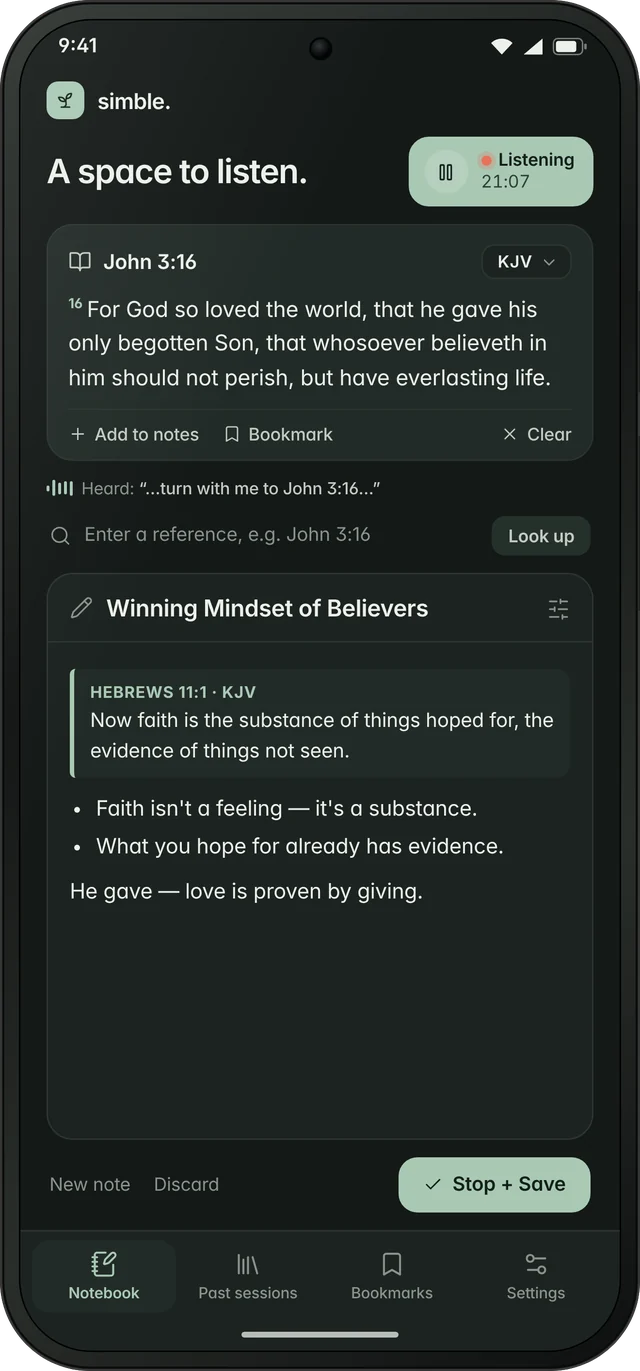
When a reference is heard ("turn with me to Hebrews 11"), the full verse lands in a slim strip at the top. It never covers your notes.
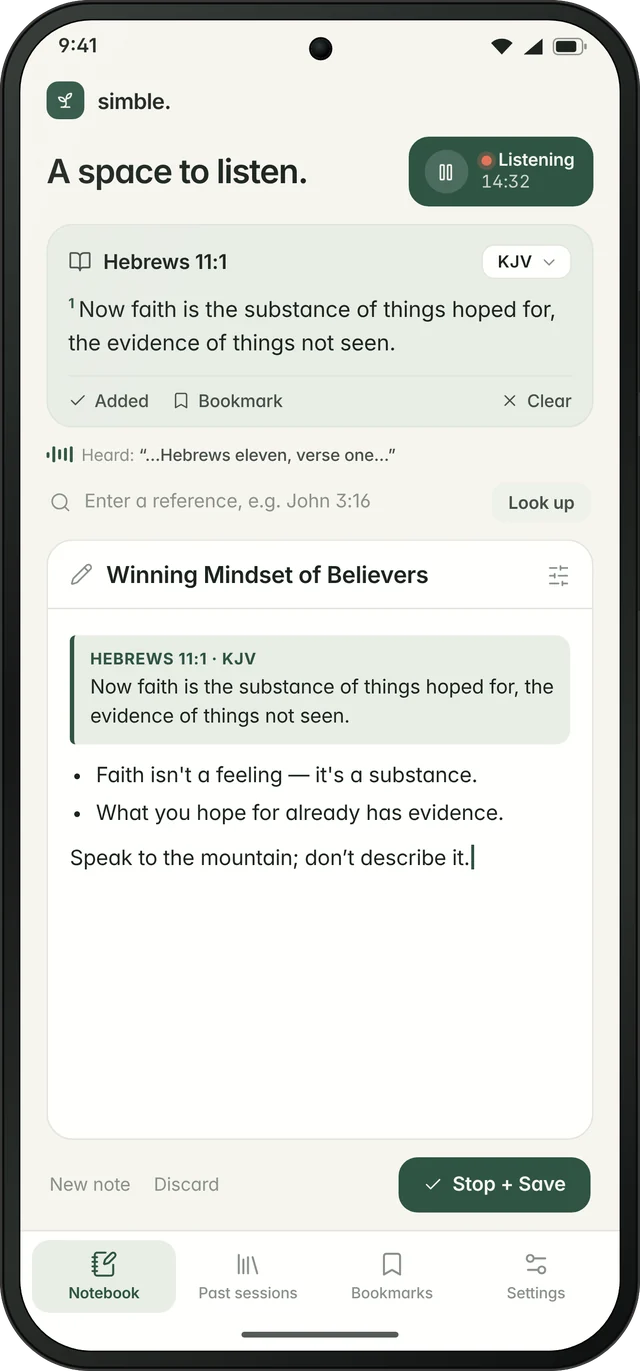
Add the verse to your note with one tap or bookmark it. Stop + Save keeps the session together, ready to reopen or export.
Spoken references are recognised and resolved to the full passage, including forms like "Romans chapter 8 verse 28".
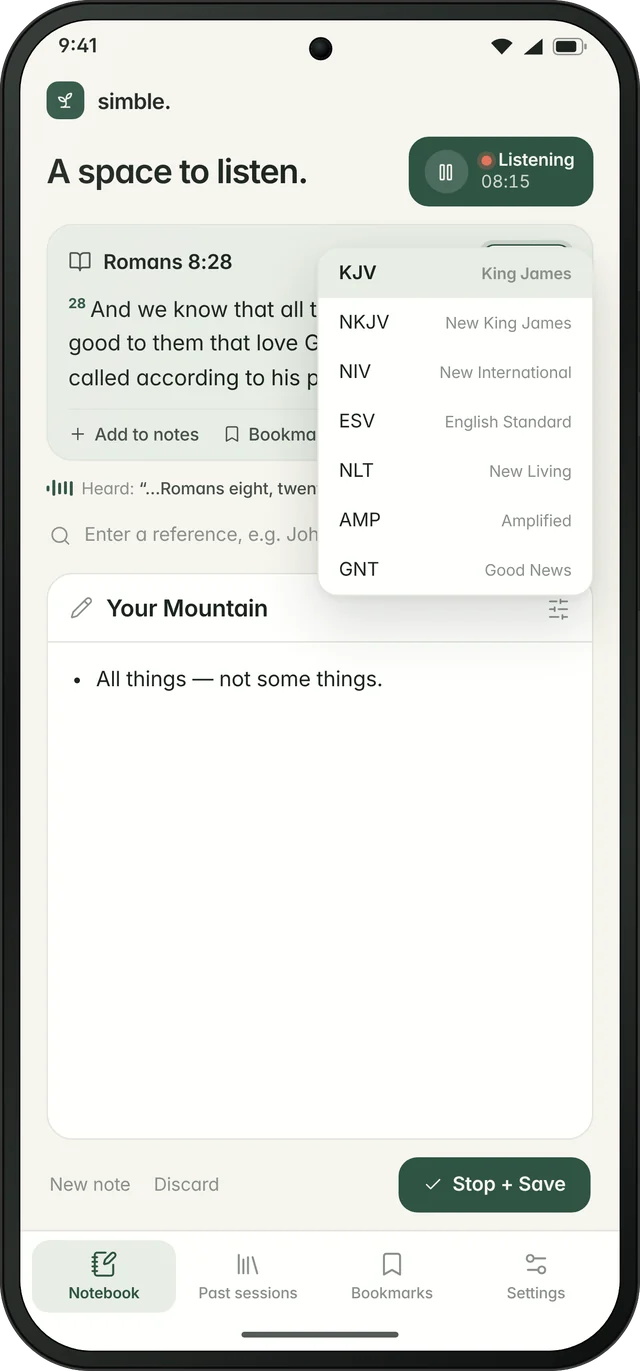
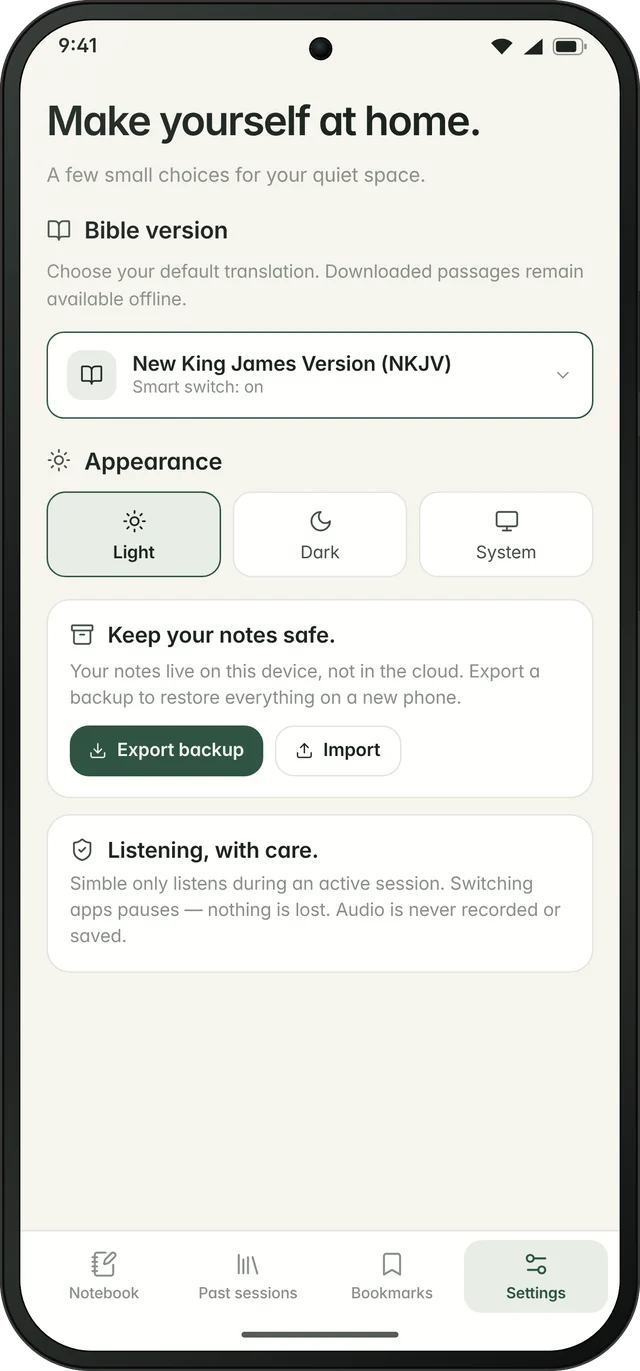
Full names in Settings and short abbreviations (KJV, NKJV, GNT) in the notebook. When the preacher names a translation, the smart switch changes to it.
The scripture area stays compact and fixed. The title field and blank canvas take the rest of the screen.
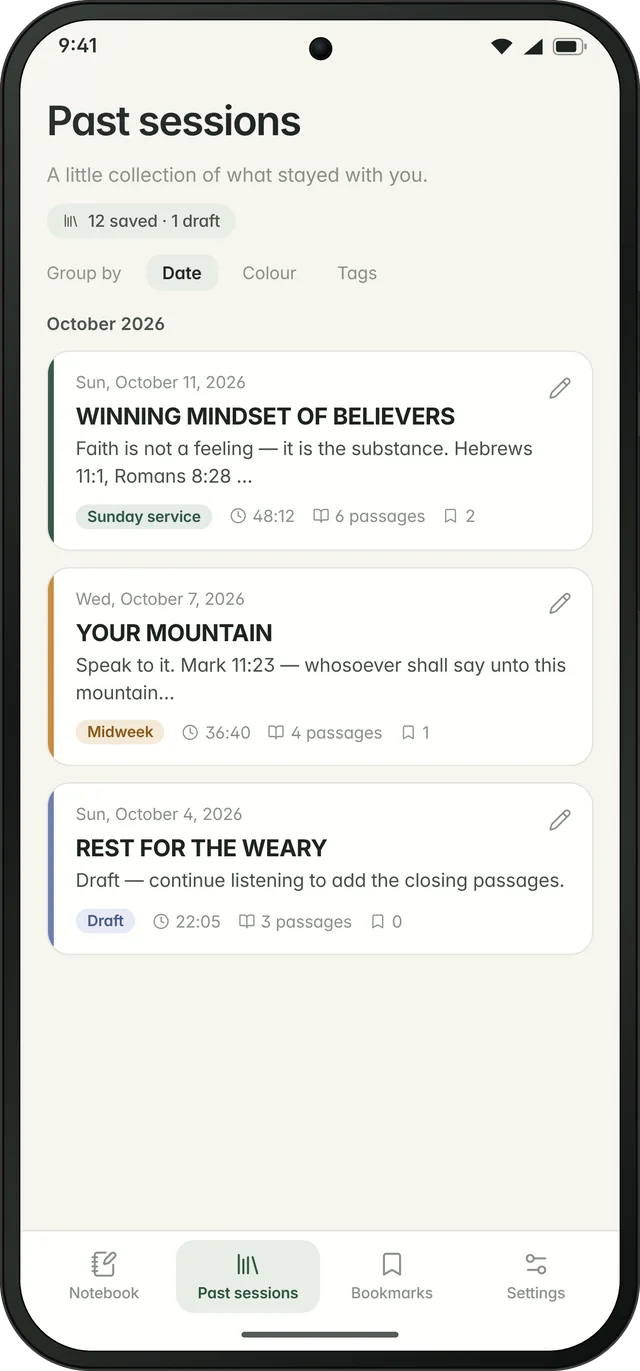
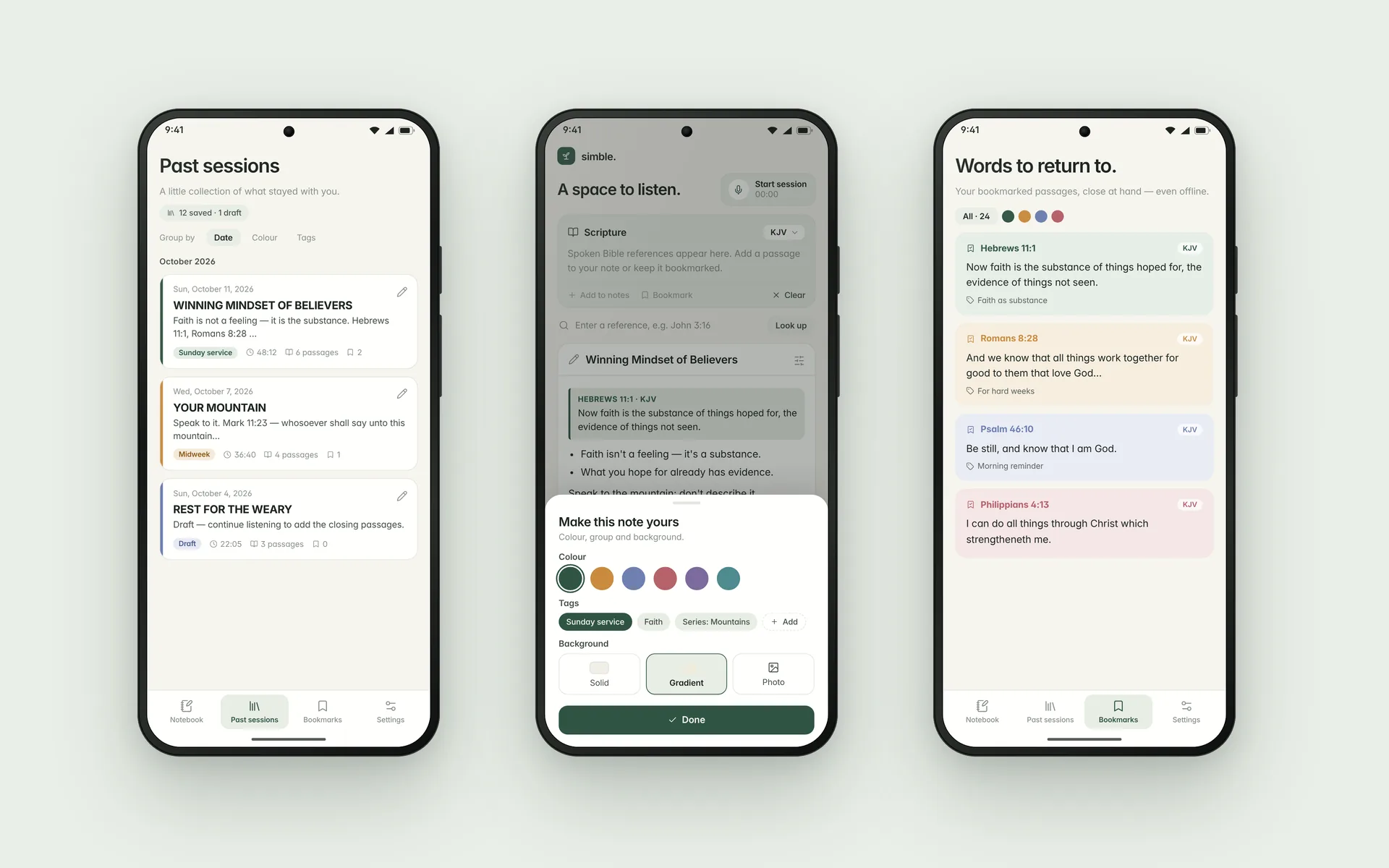
A pencil icon reopens any note. Keep typing, or start listening again to add new verses.
Switch apps and listening pauses, but nothing is lost. When you come back, choose Continue or Save.
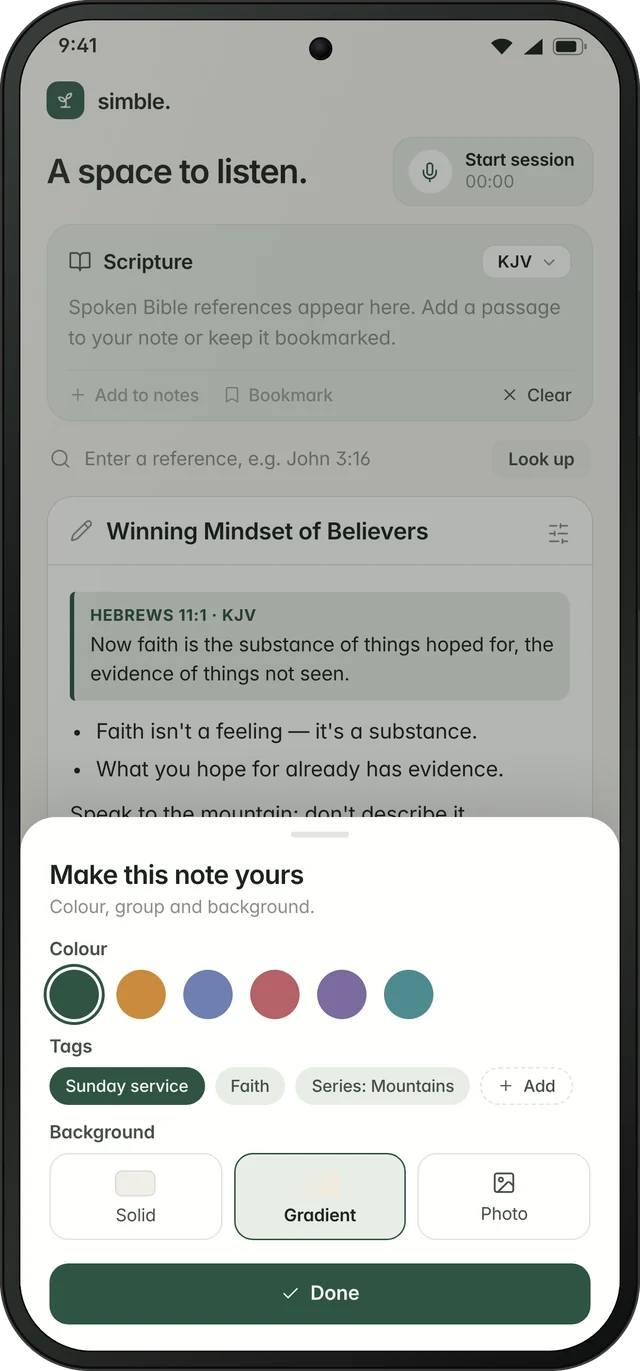
Colour-code notes and drafts, group them by date, colour or tag, and set a solid, gradient or photo background.
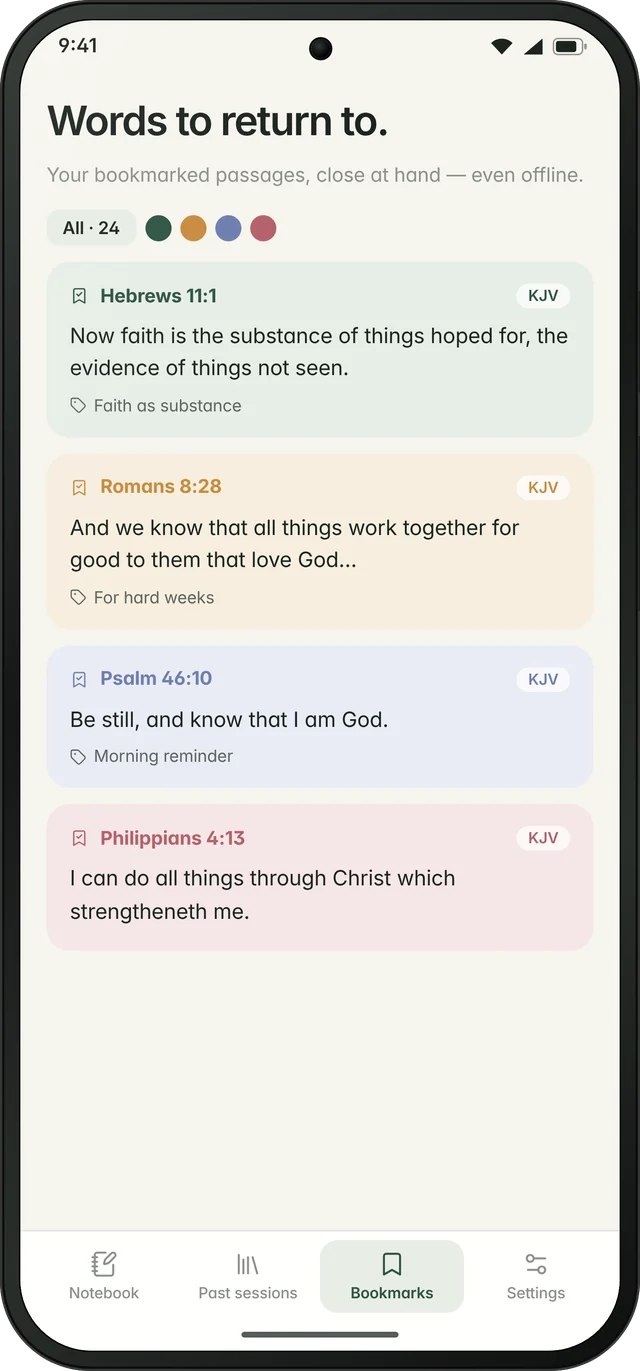
"Words to return to": saved verses with a colour and a title, available offline.
Export a session as PDF, text or image. Back up everything and restore it on a new phone.
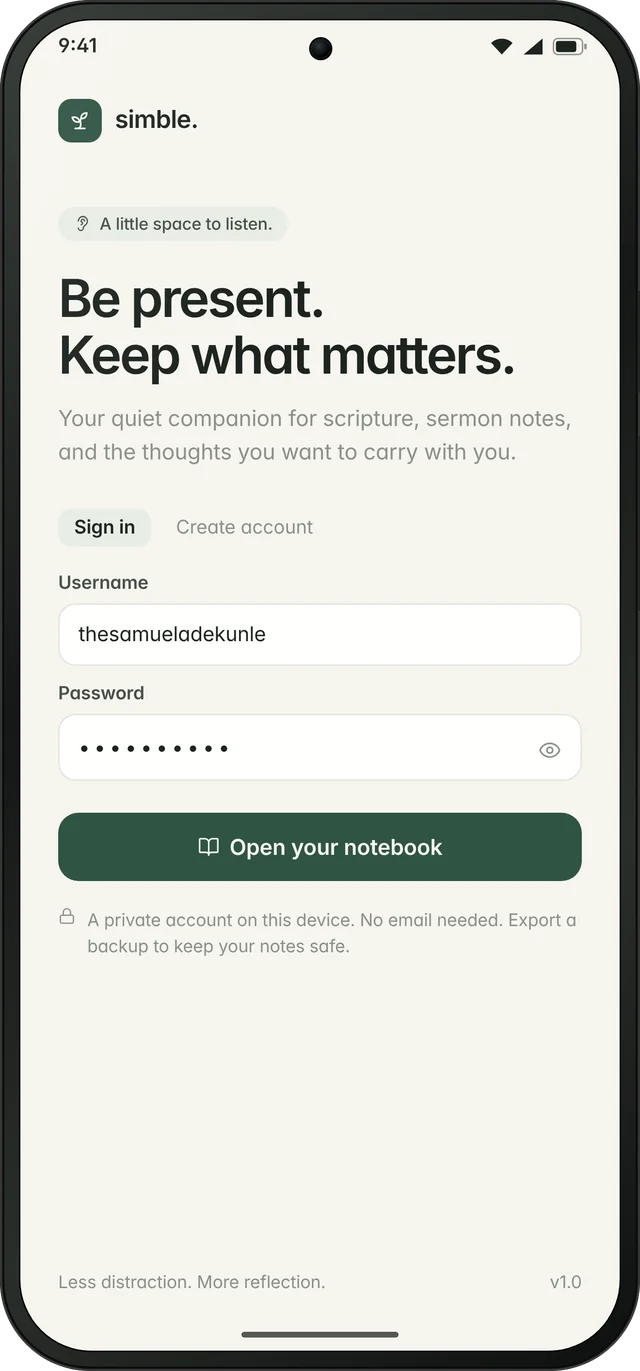
No audio is ever recorded or stored. Username and password only, with notes kept on the device.
Simble is used during worship, so the interface has to stay out of the way. Every decision followed four principles.
After using the first build in real services, I documented every point of friction and rebuilt the notebook around it.
| Area | v1 (first Draftbit build) | v2 (current) |
|---|---|---|
| Header | Large stacked "Ready to listen" card under a subtitle | Subtitle removed; a compact Start session box (mic + timer) on the same row as "A space to listen." |
| Notes | "Your notes" label and a footer helper line | A proper Title field over a blank "Write here…" canvas; helper line removed |
| Drafts | Saved sessions were final | Pencil icon reopens any note to keep typing or resume listening |
| Interruptions | Switching apps stopped and saved the session | Listening pauses and the note is kept; Continue or Save on return |
| Translations | Two public-domain cards (KJV, ASV) | 20 translations in one dropdown, abbreviations in the notebook, smart switch |
| Organisation | A plain list | Colour-coding, grouping by date, colour or tag, and note backgrounds |
Defined the core loop: Start, listen, surface the verse, take notes, Save. Named it, and set the tone: calm, minimal, church-friendly.
Wrote the product documents in plain language: the MVP feature set with priorities, the technical risks (speech accuracy, reference parsing, Bible licensing, battery) and a phased roadmap.
Compared Replit, Bolt.new, Draftbit, FlutterFlow and Cursor. Chose Draftbit for native React Native + Expo output with exportable code.
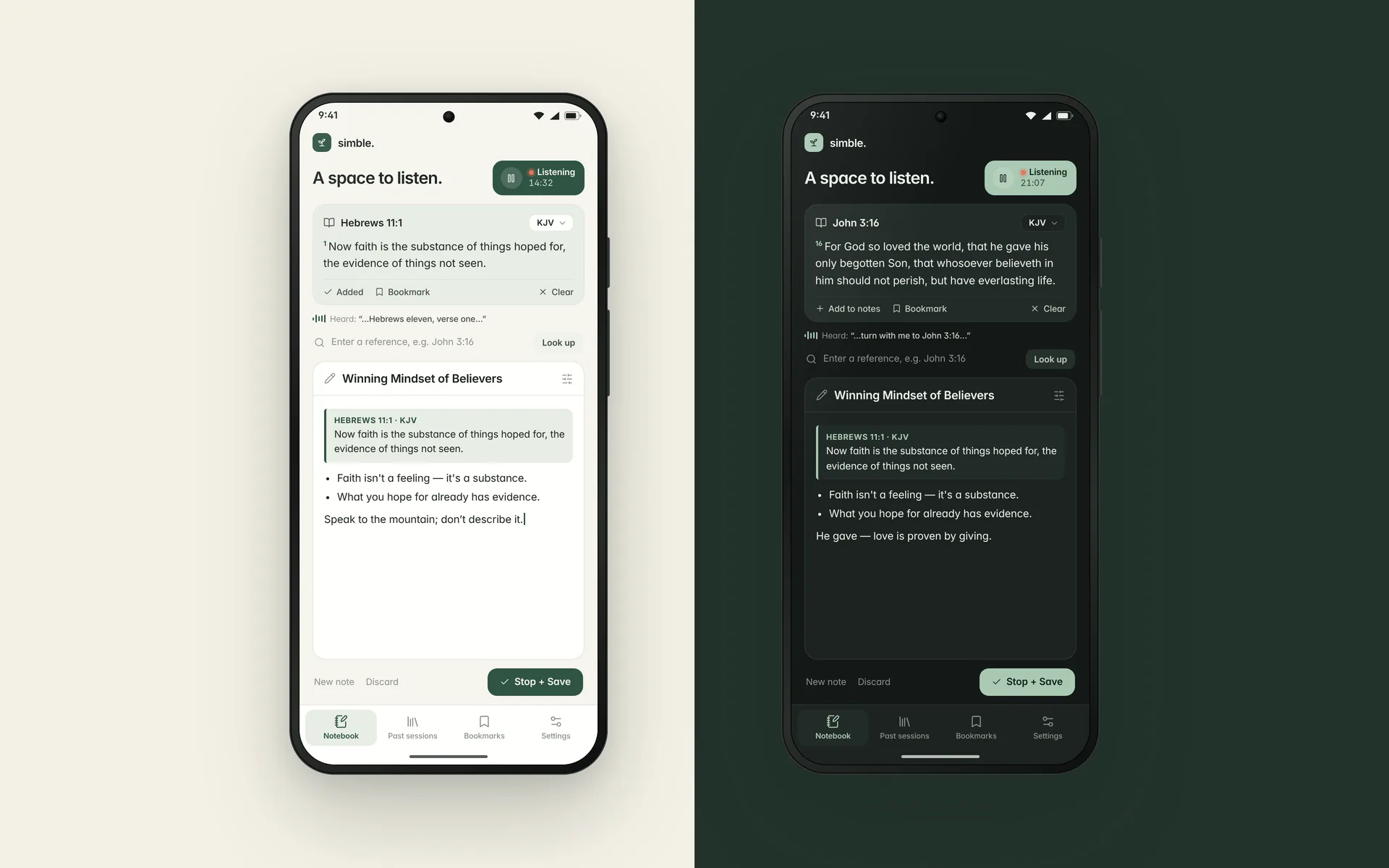
Live speech-to-scripture detection, the verse strip, manual lookup, past sessions, bookmarks, settings, light/dark themes and local backup.
Rewrote the notebook layout, added drafts, interruption-safe sessions, 20 translations and colour-coding (see Iteration).
Produced the product mockups, a 15-second motion showreel, and a launch landing page with a countdown and a first-tester waitlist. Next step: an installable Android build through Expo EAS.
Sim- from the Greek σημειωματάριο (simeiomatário), meaning notebook, plus -ble from Bible. A notebook for the Bible.
Simble shows how I work: I start from a real human problem, define it sharply, design only what serves it, and build until it works in the real world. The same process carries over to operational tools, event systems and client products.
Whether it's still a voice note, a sketch or a frustration, I can take it from concept to a designed, working product: problem framing, product spec, UX/UI and a buildable prototype.